Bluetooth Spy Device Scanner
Bluetooth is the radio of trackers, beacons and camera setup channels. Scanning it needs no network access at all — and the signal strength reading tells you where to look.
A different radio, a different set of devices
Wi-Fi and Bluetooth solve different problems, and the devices that use them are different too. Wi-Fi carries video, so it is the radio of choice for streaming cameras. Bluetooth Low Energy carries tiny bursts of data on very little power, so it is the radio of choice for things that must run for months on a coin cell: item trackers, sensors, beacons, and the configuration channel that many cameras use for setup and then leave permanently enabled.
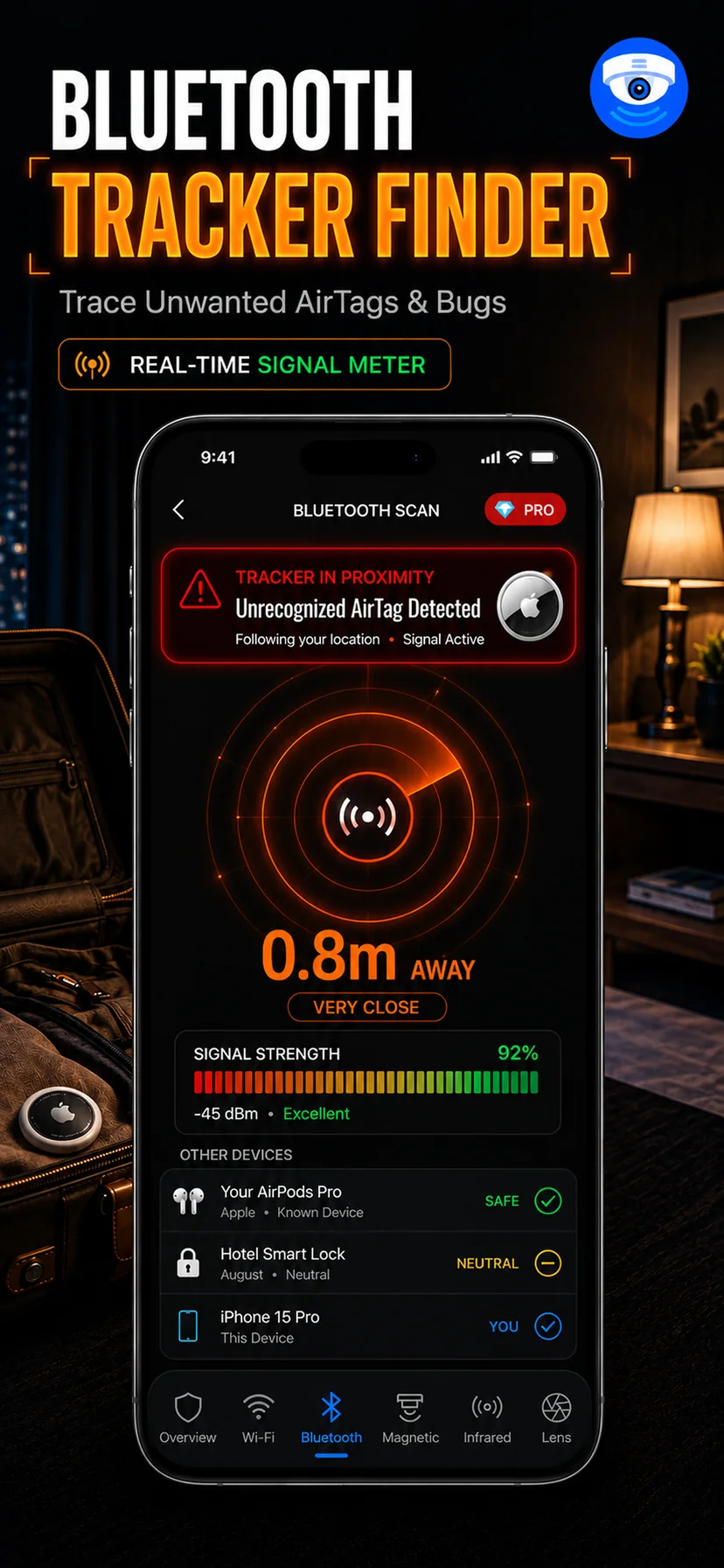
The Bluetooth scanner lists everything advertising nearby — name where one is broadcast, device class, and a live signal strength reading. Unlike the Wi-Fi scanner, it does not require you to be on any network. It listens to the air around you, which means it works in a hotel corridor, a rental car, an office you are visiting, or anywhere you have no credentials at all.
Unknown trackers are the common real-world find
In practice, most people who run a Bluetooth scan in anger are not looking for a camera — they are looking for a tracker. A coin-sized tag slipped into a bag lining, a coat pocket, a car's boot trim or under a seat is cheap, legal to buy anywhere, and reports a location continuously. Apple's own ecosystem will warn an iPhone user about some unknown trackers travelling with them, but that protection does not cover every brand, does not fire instantly, and does nothing for trackers from vendors outside those alert systems.
A manual scan closes that gap. Advertising names are often descriptive enough to identify a product line directly. When they are not, the signal strength reading does the work.
Using signal strength to find where something is
Radio signal strength falls off with distance, so the reading beside each device is a crude but genuinely useful proximity meter. The technique is simple and it works:
- Pick the device you want to locate and watch only its strength value.
- Walk slowly across the room, pausing two or three seconds in each spot — BLE broadcasts intermittently, so the number needs a moment to settle.
- Move toward whatever direction makes the number stronger. Keep going until it peaks.
- At the peak, sweep low and high. Signal passes through fabric and plastic easily but is absorbed by metal and water, so a reading that drops sharply as you round one side of an object often means the object is between you and the source.
Expect the number to jump around. Bodies, walls and furniture all attenuate the signal, and reflections can make a device briefly seem closer than it is. The trend across a slow walk is reliable; any single reading is not.
What Bluetooth will not tell you
A device in a deliberately silent mode, a tracker that has exhausted its battery, or a camera that only enables Bluetooth during initial pairing will not appear. Signal strength gives you distance, roughly, but never direction on its own — that is why you have to walk the room rather than stand still and rotate. And a busy apartment building will show you dozens of neighbouring devices you have no way to investigate, which is normal and not a finding.
Run this scan alongside the others. In a rental, the useful sequence is a Bluetooth scan and a Wi-Fi scan on arrival to see what the room announces, then a physical lens sweep and a infrared check after dark. Our guide to detecting listening devices covers the audio-bug variant of the same problem, where Bluetooth is often the only radio in play.