
WiFi Camera Detector
Most consumer spy cameras stream over Wi-Fi, and a device on a network can be listed. Here is how to read that list — and why a clean scan proves nothing on its own.
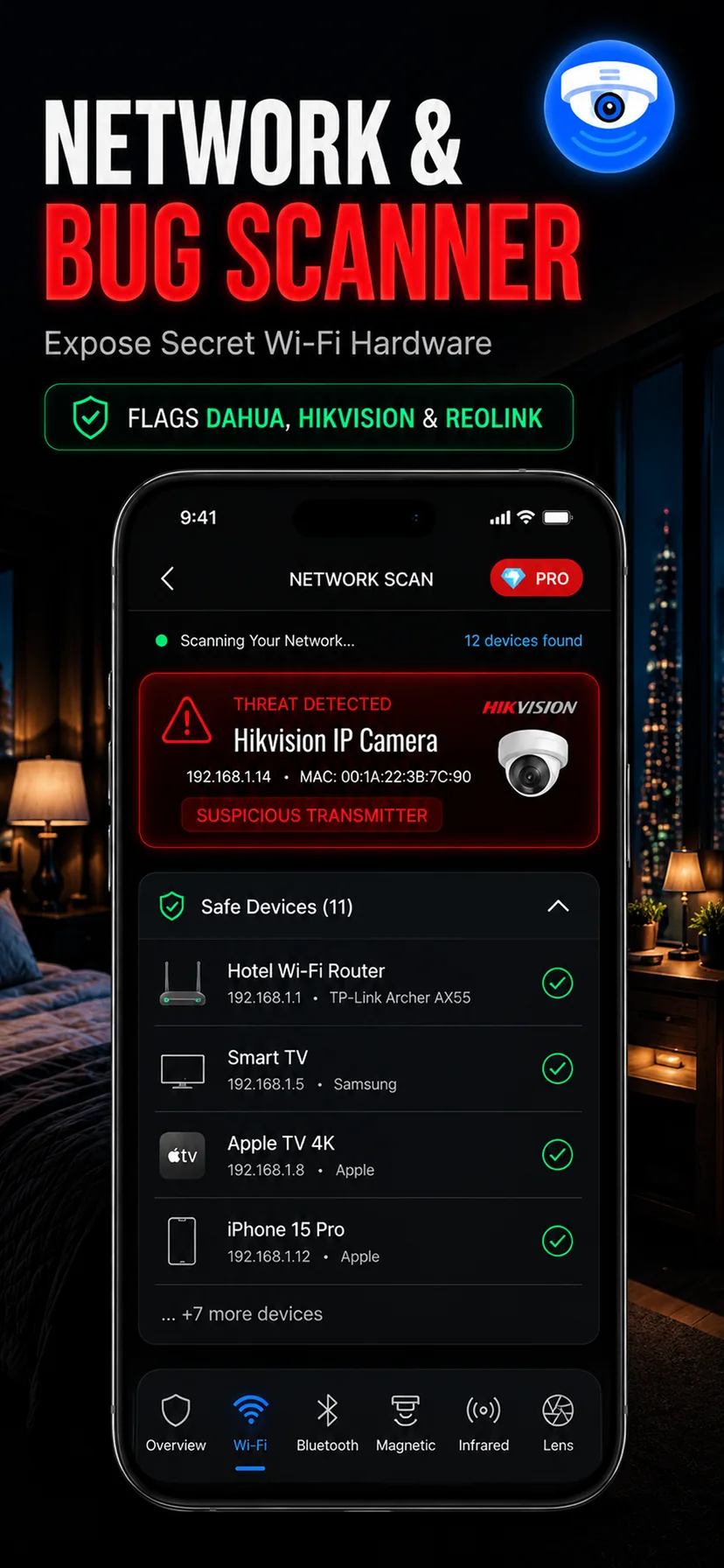
Most spy cameras have to phone home
A camera that stores footage on an internal SD card forces whoever installed it to come back and physically retrieve it. That is risky and inconvenient, so the overwhelming majority of consumer spy cameras sold today are Wi-Fi cameras. They join a network, stream to an app, and let their owner watch from anywhere. That convenience is also the biggest hole in their concealment: a device on a network is a device that can be enumerated.
The Wi-Fi scanner walks the local network you are connected to and lists what else is on it. For each device it surfaces the local IP address, the hostname where one is broadcast, and the manufacturer inferred from the hardware address. That last field is the useful one. Every network adapter carries a prefix registered to the company that made it, so a device reporting a manufacturer associated with IP camera modules stands out immediately in a rental where you would expect a router, a TV and a thermostat.
Reading the results without scaring yourself
The first time you scan a hotel or apartment network you will see more devices than you expect, and almost all of them are innocent. A modern building's network carries printers, smart TVs, voice assistants, thermostats, lighting bridges, robot vacuums and every other guest's phone. The goal is not zero unknown devices — it is to notice the specific ones that do not fit.
- Camera-associated manufacturers. Names tied to IP camera modules or generic Chinese camera OEMs deserve a second look, especially in a private rental where no camera has been disclosed.
- Hostnames that describe themselves. Cheap cameras are often careless, broadcasting names containing "cam", "ipc", "dvr", "nvr" or a model number you can search.
- Devices that appear when nothing changed. Scan on arrival, then again a few hours later. A device that joins the network while you are alone in the room is worth understanding.
- The thing you cannot account for. If you can name every device on a small home network except one, that one is your candidate.
When a device does look suspicious, cross-check it physically. Use the lens scan on the objects in the room that could house it and the magnetic detector on any fitting that seems heavier or warmer than it should be. A network entry plus a physical hit in the same room is a real finding.
The limits, stated plainly
A Wi-Fi scan only sees the network segment you are joined to. This matters more than anything else on this page. If a camera sits on a separate hidden SSID, on the property owner's private network rather than the guest network, on a cellular modem, or on client isolation that stops guests from seeing each other, it will not appear in your list — and in a hotel, guest isolation is standard practice, so expect the scan to be far less useful there than in a private apartment or Airbnb.
A scan also cannot tell you whether a camera is recording, where in the room it is, or who is watching. And a camera with no radio at all is invisible to it by definition. Treat the Wi-Fi scanner as the fastest way to rule a network device in, never as a way to rule cameras out. A clean scan means nothing on its own; a clean scan combined with a clean lens sweep, a clean infrared check and a clean magnetic pass means something.
Practically, the best use of this mode is on arrival at a private rental: connect to the Wi-Fi, run one scan, and note anything unexplained before you unpack. It takes under a minute and it is the single cheapest check in the whole routine.